Why Your Screen Looks Blurry – Causes and Fixes That Actually Work
A blurry screen is one of the most frustrating issues you can experience. Text becomes hard to read, images lose detail, and everything feels slightly “off” — even if you can’t immediately tell why.
The problem is that blur can come from many different sources. It’s not always your screen — sometimes it’s settings, cables, or even your eyes.
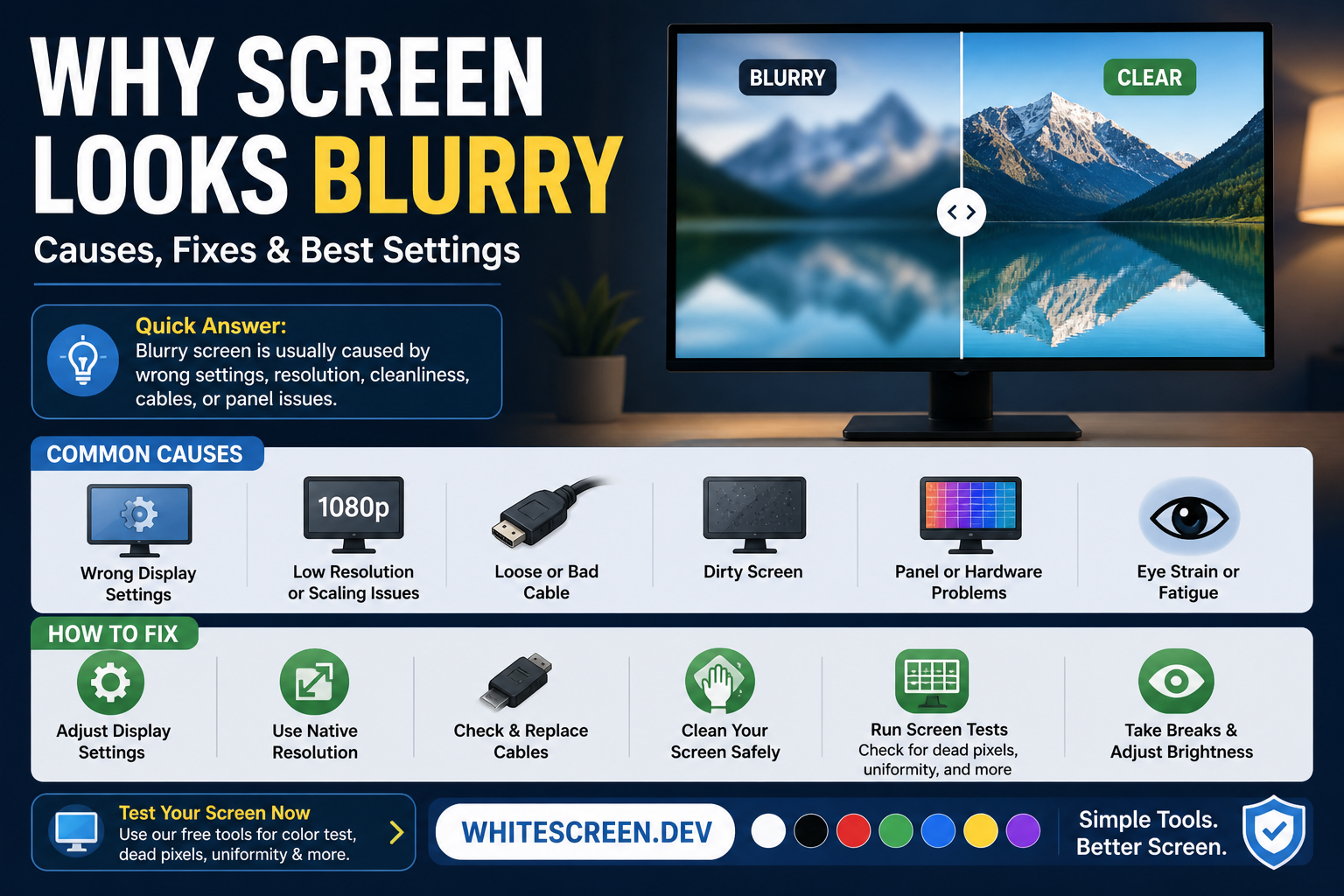
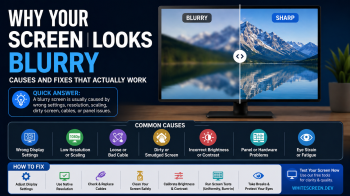
Blurry screens can be caused by settings, hardware issues, or simple surface problems.
Quick Answer: Why Does Your Screen Look Blurry?
A blurry screen is usually caused by one of these:
- Incorrect resolution or scaling
- Dirty or smudged screen surface
- Loose or low-quality display cable
- Brightness and contrast imbalance
- Display panel limitations
The key is identifying which one applies to your situation.
1. Wrong Resolution (Most Common Cause)
If your display is not set to its native resolution, everything will look slightly blurred or stretched.
- Text looks soft
- Edges are not sharp
- Images appear slightly distorted
Fix: Set your display to its recommended (native) resolution in system settings.
2. Screen Is Actually Dirty
Sometimes what looks like blur is simply dirt, oil, or smudges on your screen.
A white background makes this very obvious:
If the blur disappears after cleaning, it wasn’t a display issue at all.
See full guide:
3. Display Scaling Issues
Operating systems sometimes scale content incorrectly, especially on high-resolution displays.
This can cause:
- Blurry text
- Soft UI elements
- Inconsistent sharpness
Fix: Adjust scaling settings (100%, 125%, 150%) and test what looks sharpest.
4. Cable or Connection Problems
A poor-quality or loose cable can reduce signal clarity.
- Image appears soft
- Colors may look washed out
- Sharpness decreases
Fix:
- Check cable connections
- Use HDMI/DisplayPort instead of VGA
5. Brightness and Contrast Imbalance
Incorrect brightness settings can make your screen appear less sharp.
- Too bright → washed-out details
- Too dark → loss of clarity
Optimize settings for your environment.
6. Screen Uniformity Issues
Some screens have uneven brightness or color distribution, which can feel like blur.
Check using:
7. Eye Fatigue (Often Overlooked)
Sometimes your screen isn’t blurry — your eyes are tired.
Signs include:
- Blur improves after rest
- Eye strain or dryness
- Headaches
Improve comfort:
Step-by-Step: Fix a Blurry Screen
- Clean your screen properly
- Set correct resolution
- Adjust scaling
- Check cable connection
- Optimize brightness
- Test for uniformity issues
Advanced Tip: Use Color Screens to Diagnose
Different colors help reveal different issues:
- White → dirt, smudges
- Black → contrast issues
- RGB → color clarity
Use full guide:
Common Mistakes
- Assuming it's a hardware issue immediately
- Ignoring resolution settings
- Cleaning incorrectly
- Using low-quality cables
When Should You Be Concerned?
You should investigate further if:
- Blur does not change after adjustments
- Only part of the screen is blurry
- Problem appears suddenly
Related Guides
Frequently Asked Questions
Why does my screen look blurry suddenly?
Usually caused by resolution change, cable issues, or dirty screen.
Can a blurry screen be fixed?
Yes, most cases are caused by settings or surface issues.
Is blurry screen a hardware problem?
Not always. It’s often a configuration issue.
Can eye strain cause blur?
Yes, tired eyes can reduce perceived sharpness.