How to Fix Screen Tearing – Causes and Solutions That Actually Work
Screen tearing is one of the most annoying display problems, especially when watching videos or playing games. Instead of a smooth image, you see a horizontal split where two frames appear at the same time.
The good news is that screen tearing is usually easy to fix once you understand what causes it.
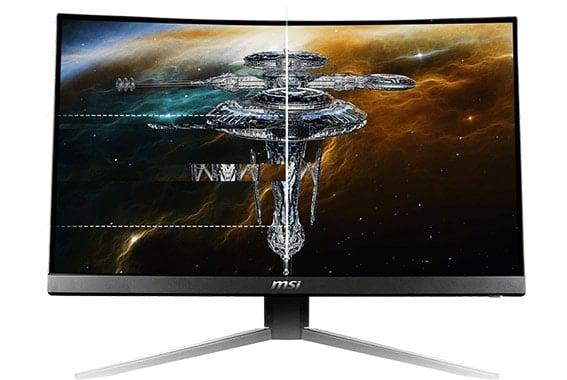
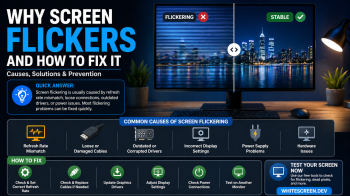
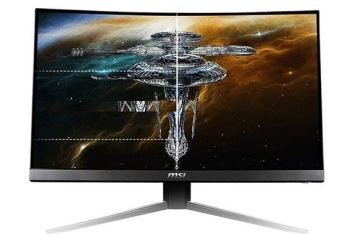
Screen tearing appears as a horizontal split where two frames are shown at the same time.
What Is Screen Tearing?
Screen tearing happens when your GPU sends frames faster than your monitor can display them. As a result, multiple frames overlap on the screen, creating a visible tear.
This usually occurs when there is a mismatch between frame rate (FPS) and refresh rate (Hz).
Screen Tearing vs Normal Display
Understanding the difference helps you confirm whether you are actually experiencing tearing.
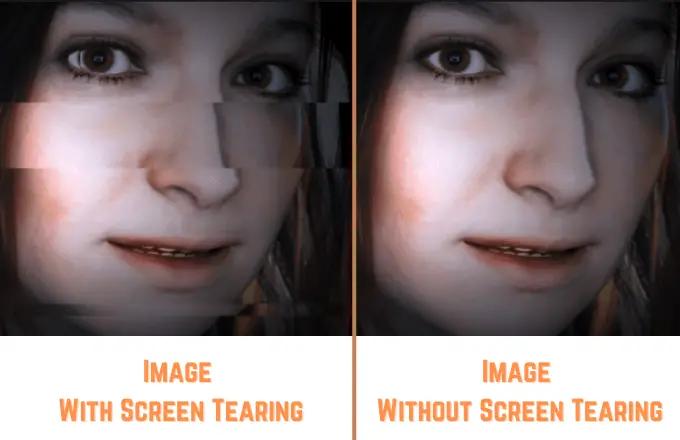
A normal display shows a smooth frame, while screen tearing shows two frames at once.
- Normal Display: Smooth and continuous motion
- Screen Tearing: Visible horizontal split between frames
What Causes Screen Tearing?
1. Frame Rate Too High
If your GPU generates frames faster than your monitor refresh rate, tearing can occur.
2. V-Sync Disabled
Without synchronization, the GPU and monitor are not aligned.
3. Low Refresh Rate Monitor
Older monitors with low refresh rates are more prone to tearing.
4. Incorrect Display Settings
Wrong resolution or refresh rate settings can cause visual issues.
How to Fix Screen Tearing
Fix 1: Enable V-Sync
V-Sync synchronizes your GPU frame rate with your monitor refresh rate, preventing tearing.
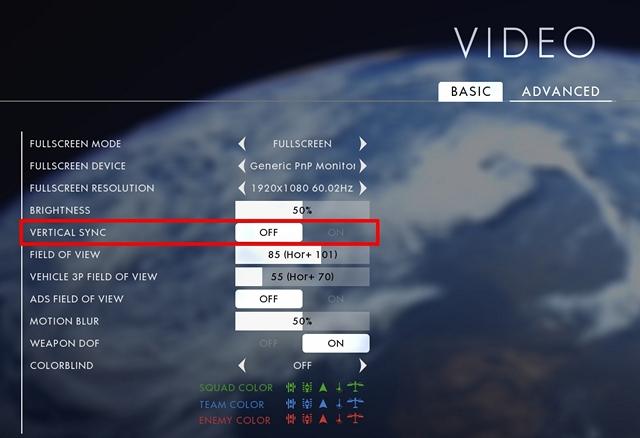
Enabling V-Sync is one of the most effective ways to fix screen tearing.
Fix 2: Adjust Refresh Rate
Make sure your monitor is set to its highest supported refresh rate.
Fix 3: Limit Frame Rate
Cap your FPS to match your monitor refresh rate.
Fix 4: Update Graphics Drivers
Outdated drivers can cause rendering problems.
Fix 5: Enable G-Sync or FreeSync
If your monitor supports it, adaptive sync technologies can eliminate tearing completely.
When Screen Tearing Is Not a Big Problem
In some cases, minor tearing may not affect normal use like browsing or office work.
However, for gaming or video playback, fixing it can significantly improve the experience.
Common Mistakes
- Ignoring refresh rate settings
- Using mismatched resolution
- Not enabling V-Sync or adaptive sync
Frequently Asked Questions
Is screen tearing harmful?
No, it does not damage your hardware, but it affects visual quality.
Can V-Sync reduce performance?
Yes, slightly, but it improves visual smoothness.
Do I need a new monitor?
Not necessarily. Most tearing issues can be fixed with settings.
Is screen tearing a hardware problem?
Usually not. It is mostly a synchronization issue between GPU and monitor.